Deck View Guide
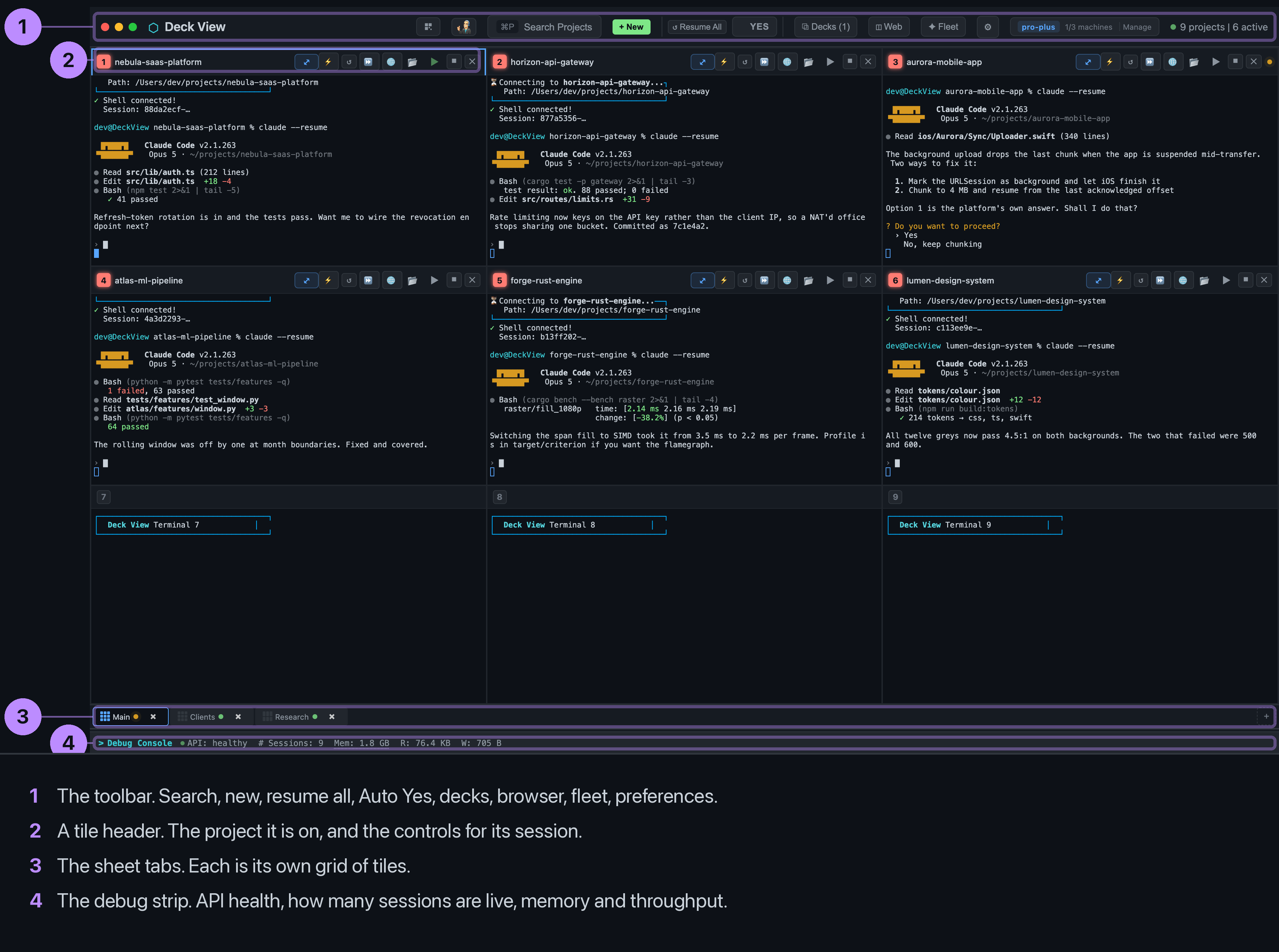
What every button does, where things live, and how the pieces fit. Written from the product, not from memory: every label here is the one you will see on screen.
What a deck is
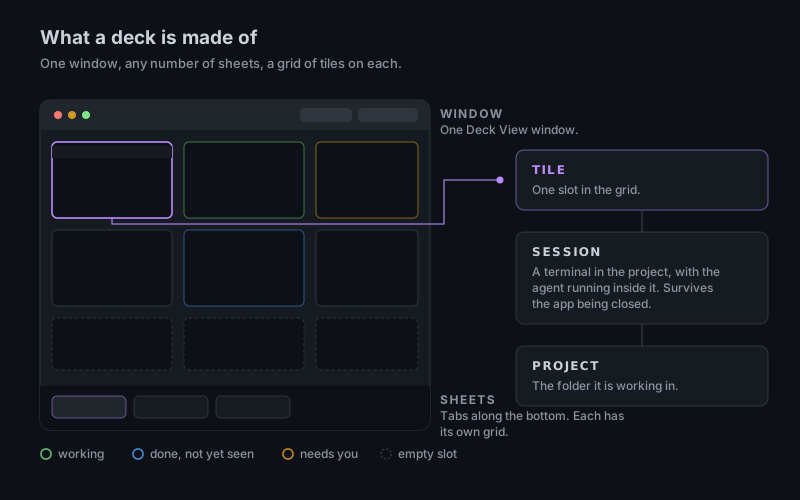
A deck is the whole window. It holds sheets, which are the tabs along the bottom. Each sheet is a grid of tiles, and each tile holds one session: a terminal running an AI coding agent inside one project folder.
The rule that makes it all behave is one project, one window. Opening the same project twice would put two agents in one working copy, so Deck View refuses it across the whole deck, not just the sheet you can see.