Sheets and tabs
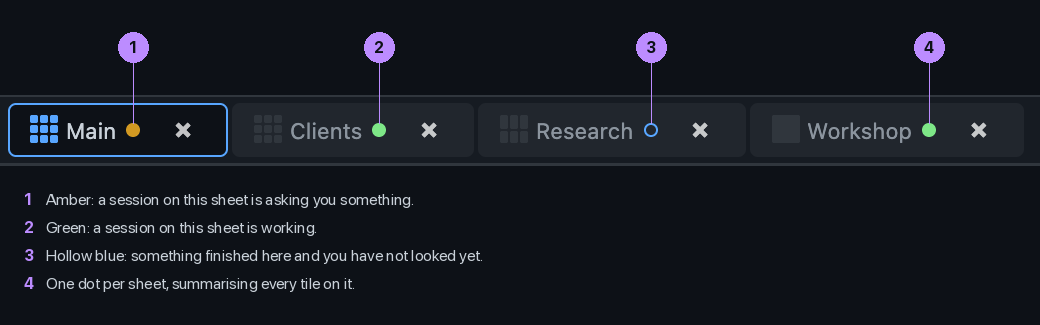
The tabs along the bottom. Each is its own grid of tiles with its own layout.
The tab bar
Click a tab to switch sheets. The coloured dot on a tab is the sheet\'s overall state: amber if anything on it needs you, green if something is working, blue if there is finished work you have not seen. Press + at the right for a new sheet.
Right-click a tab
| Control | Label | What it does |
|---|---|---|
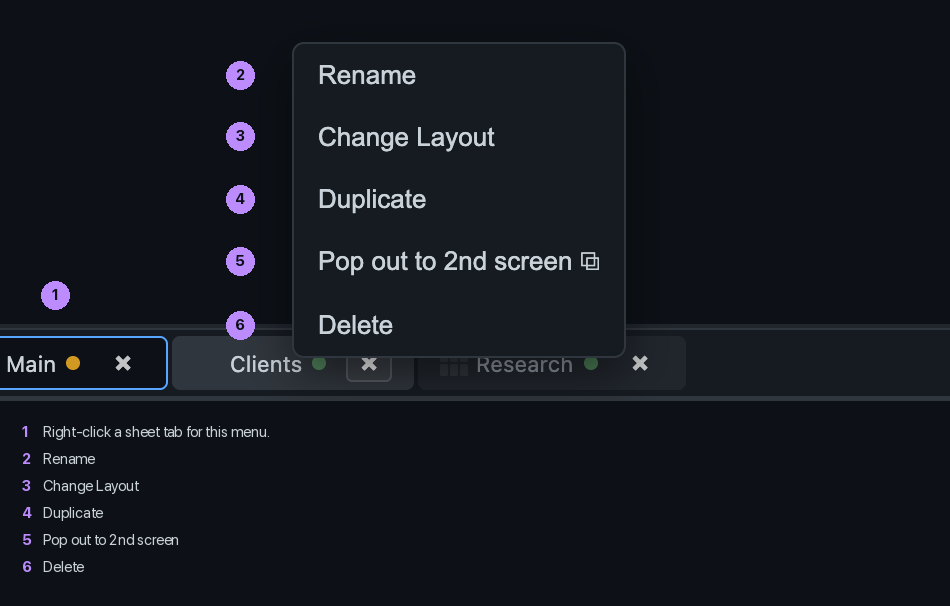
| Rename | Give the sheet a name that means something. | |
| Change Layout | Pick a grid from 3 by 3 down to 1 by 1. Tiles keep their sessions. | |
| Duplicate | A copy of the sheet with the same projects. | |
| ⧉ | Pop out to 2nd screen | Detach the sheet into its own window. Its sessions go with it; the main window carries on. Pro and Team. |
| Delete | Remove the sheet. Its sessions end. |